Build Schematic
It must be pretty intense! brainstorming features, shortlisting them, and finding the components for the project. But now it’s time to shower some magic of engineering to convert those shortlisted features and individual components into a usable circuit!
I’ll be using Kicad and Git to design and manage the complete life cycle of this project. If you are new please checkout this link : KiCad & Github. However, at the same time, feel free to use whatever is comfortable for you.
Plan!
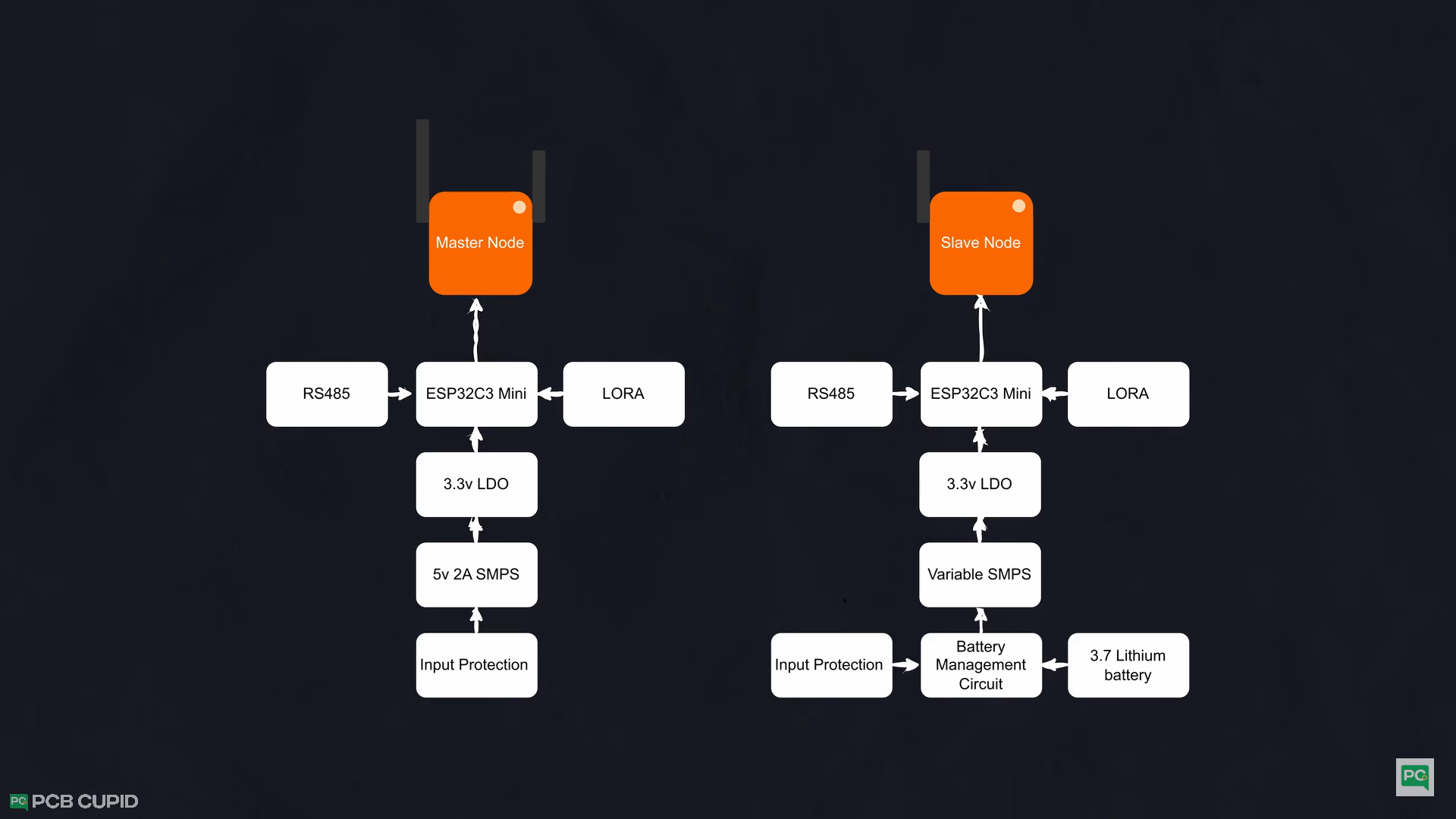
Put a block diagram of the project or breakdown the idea's into chunks for easy execution!
Building the Base Circuit
For now, I’ll create the schematics within Kicad Project and open the schematic editor.
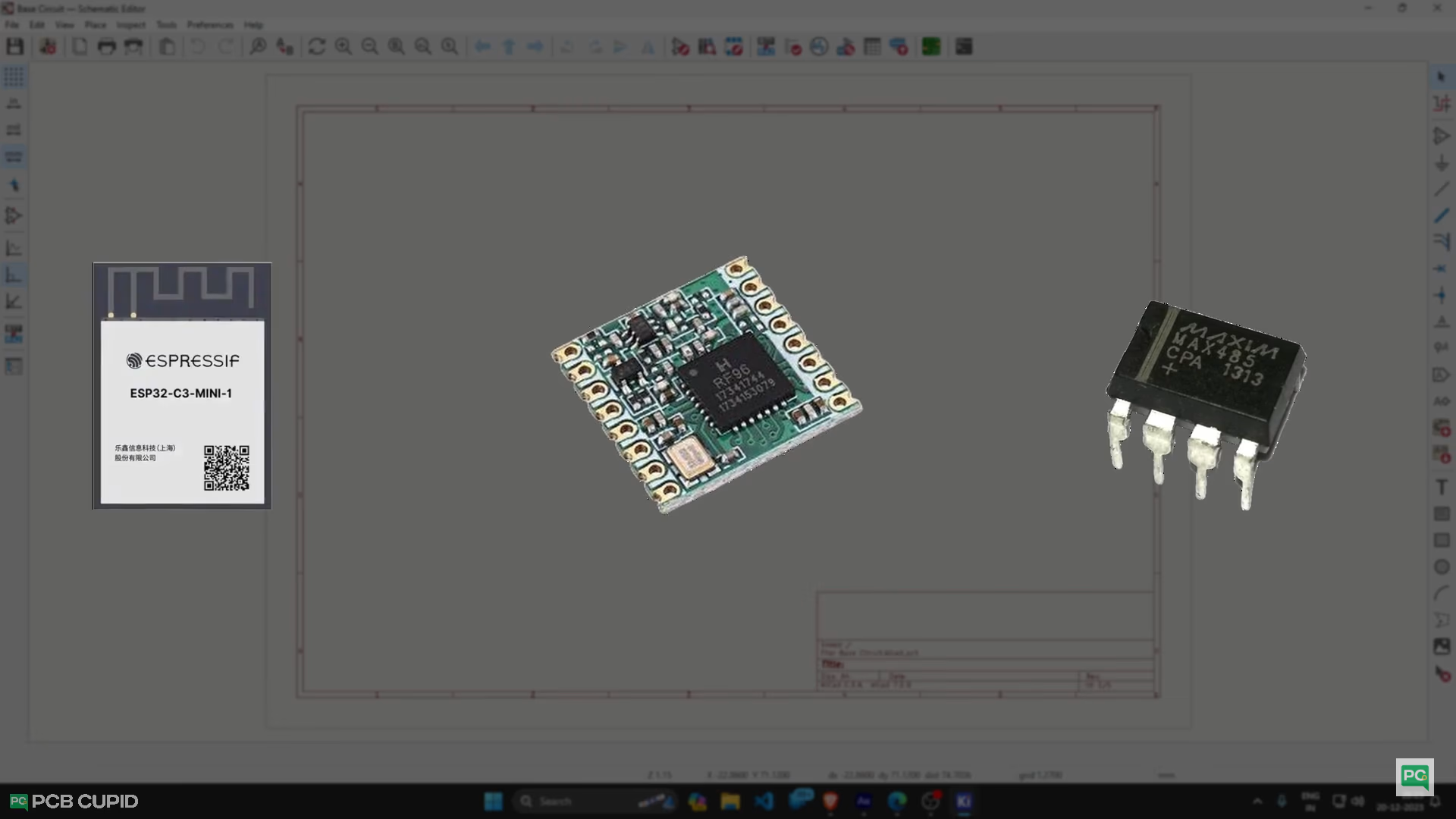
I usually start with the microcontroller and build the rest of the circuit around it. If you are Lucky, you don't have to create a custom symbol! Usually you can find the footprint/symbols on website like digikey & mouser while purchasing them.
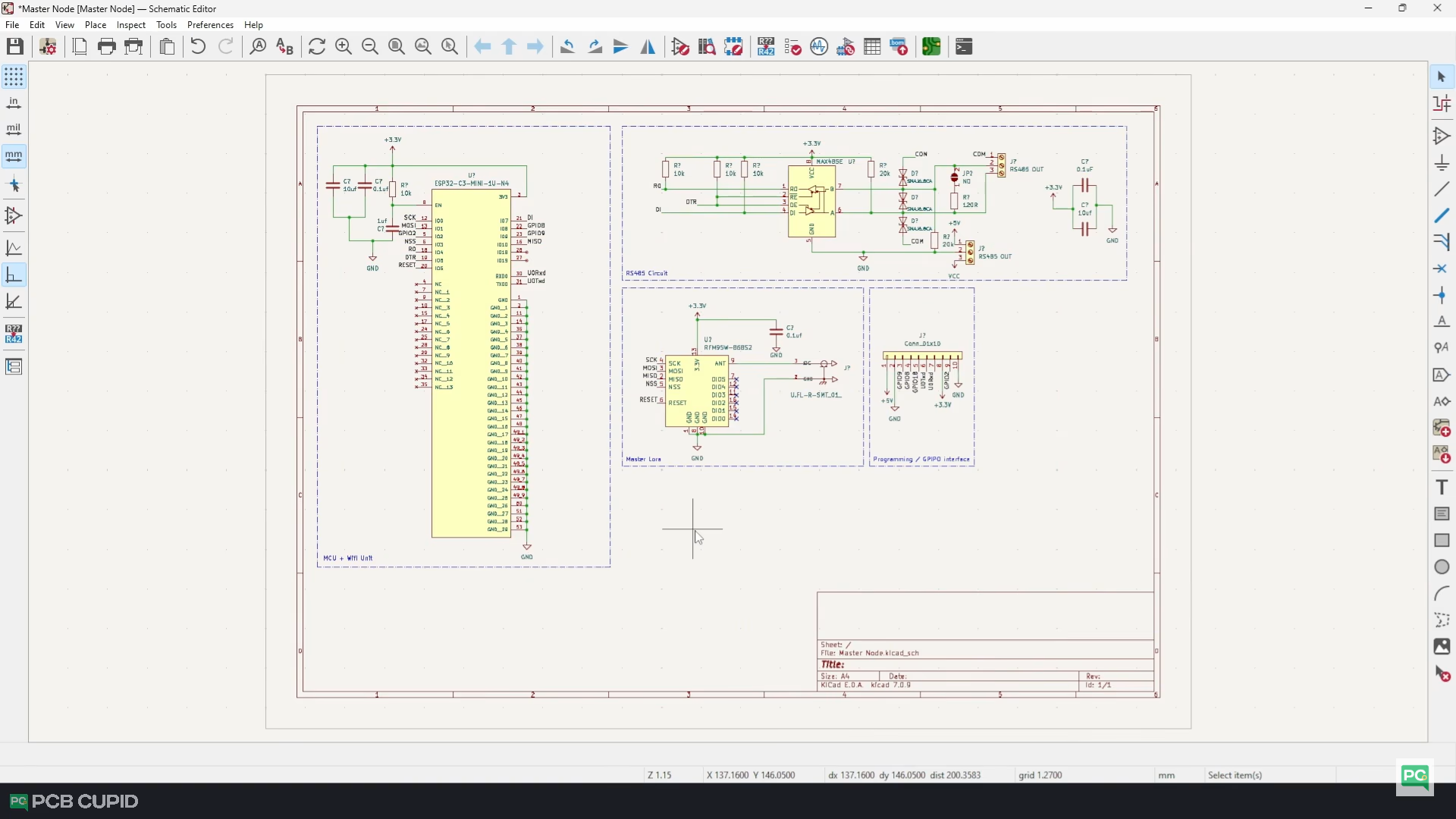
With that, we’ve completed the core connections. Now, I will quickly save this project and copy this schematic into the new project to make the master node circuit.
Building the Power Circuit
Make sure all your projects have stabilize voltage and protect the input that will go into the circuit. By doing this, we’ll make sure our power to the system is very stable, robust, and reliable.
So, make sure your power Management have these three key things:
- Overcurrent protection
- Transient Voltage protection
- Finally, Reverse Voltage protection
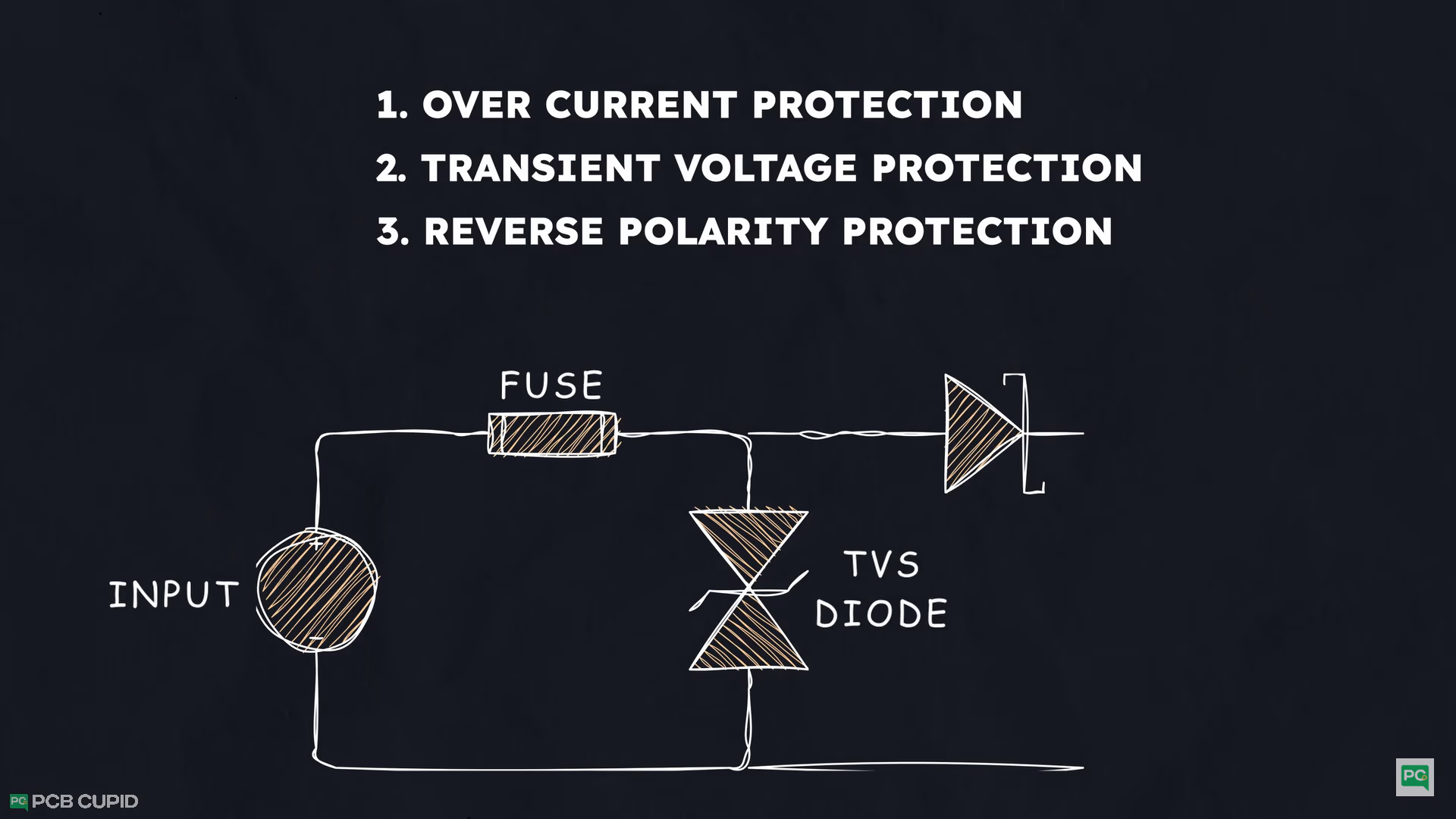
It might seem like we can just check the datasheet for the circuit and build the schematic for the project. Well, that’s partially true.
But there is a lot of basic electronics involved in selection of circuits and values of components, which sometimes requires a very thorough read of the datasheet or basic workings of the feature that you are trying to implement. For example, with SMPS circuits, I had to consider the working frequency of the SMPS IC and find the inductor and capacitor values based on the input range.
But to keep the guide simpler, I had to simplify some of them. So, make sure to do more research before jumping into a complex circuit.